本日はC#の小ネタ枠です。
C#で文字列のゼロ幅スペースを削除する方法についてです。
ゼロ幅スペース
ゼロ幅スペースは非表示文字で文字の切れ目を示すために用いられます。
UniCodeでは文字コード 8203(200b) に割り当てられています。
www.wikiwand.com
非表示文字のため、一見すると同じ文字列に見えるにも関わらず等価演算子で等価と判断されない問題の原因にもなります。
// ゼロ幅スペースを含まない文字列(012)
char[] textNormal = { '0', '1', '2' };
string textNormalString = new string(textNormal);

// ゼロ幅スペースを含む文字列(012)
char[] textWithZeroWidthSpace = { '\u200b', '0', '1', '2' };
string textWithZeroWidthSpaceString = new string(textWithZeroWidthSpace);

// 見た目は同じだが等価ではない(False)と判定される
bool isEqual = textNormalString.Equals(textWithZeroWidthSpaceString);
ゼロ幅スペースは Trim 関数では削除できないため、削除する際は Replace 関数などを用いる必要があります。
サンプルスクリプト
以下にゼロ幅スペースを含む文字列を作成したり、文字列からゼロ幅スペースを削除するサンプルスクリプトを作成しました。
・CharacterCodeTest2.cs
using UnityEngine;

public class CharacterCodeTest2 : MonoBehaviour
{
    [Tooltip("通常の文字列"), SerializeField]
    private string textNormalString = default;

    [Tooltip("通常のスペースを含む文字列"), SerializeField]
    private string textWithSpaceString = default;

    [Tooltip("ゼロ幅スペースを含む文字列"), SerializeField]
    private string textWithZeroWidthSpaceString = default;

    [ContextMenu("MakeText")]
    public void MakeText()
    {
        // 通常の文字列を作成する
        char[] textNormal = { '0', '1', '2' };
        textNormalString = new string(textNormal);

        // 通常のスペースを含む文字列を作成する
        char[] textWithSpace = { ' ', '0', '1', '2'  };
        textWithSpaceString = new string(textWithSpace);

        // ゼロ幅スペースを含む文字列を作成する
        char[] textWithZeroWidthSpace = { '\u200b', '0', '1', '2' };
        textWithZeroWidthSpaceString = new string(textWithZeroWidthSpace);
    }

    [ContextMenu("EqualsTest")]
    public void EqualsTest()
    {
        // そのまま文字列を比較した結果
        Debug.Log($"textNormalString == textWithSpaceString: {textNormalString.Equals(textWithSpaceString)}");
        Debug.Log($"textNormalString == textWithZeroWidthSpaceString: {textNormalString.Equals(textWithZeroWidthSpaceString)}");
    }

    [ContextMenu("EqualsTest2")]
    public void EqualsTest2()
    {
        // Trim() で前後のスペースを削除した文字列を比較した結果
        var textWithSpaceStringTrim = textWithSpaceString.Trim();
        var textWithZeroWidthSpaceStringTrim = textWithZeroWidthSpaceString.Trim();

        // ゼロ幅スペースは Trim() で削除されないため、ゼロ幅スペースの方の比較は false になる
        Debug.Log($"textNormalString == textWithSpaceString: {textNormalString.Equals(textWithSpaceStringTrim)}");
        Debug.Log($"textNormalString == textWithZeroWidthSpaceString: {textNormalString.Equals(textWithZeroWidthSpaceStringTrim)}");
    }

    [ContextMenu("EqualsTest3")]
    public void EqualsTest3()
    {
        // Replace() でゼロ幅スペースを削除した文字列を比較した結果
        var textWithSpaceStringTrim = textWithSpaceString.Trim();
        var textWithZeroWidthSpaceStringTrim = textWithZeroWidthSpaceString.Replace("\u200b", "");

        // ゼロ幅スペースは Replace() で削除できるため、ゼロ幅スペースの方の比較も true になる
        Debug.Log($"textNormalString == textWithSpaceString: {textNormalString.Equals(textWithSpaceStringTrim)}");
        Debug.Log($"textNormalString == textWithZeroWidthSpaceString: {textNormalString.Equals(textWithZeroWidthSpaceStringTrim)}");
    }
}
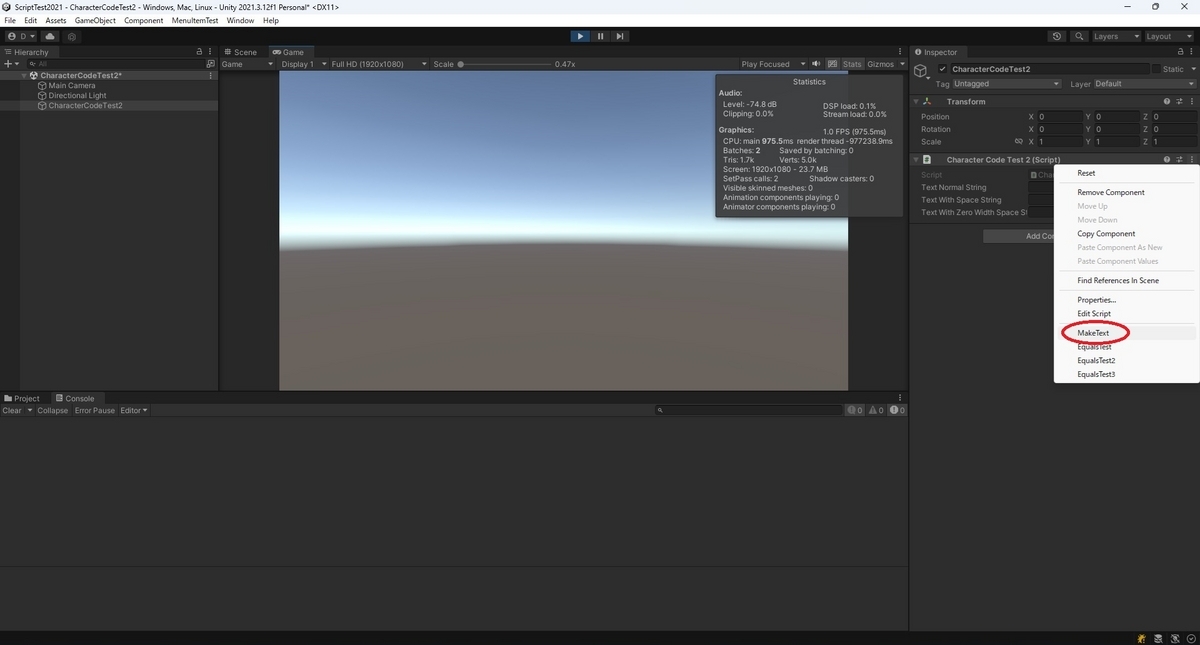
MakeTextメソッドを実行して、ゼロ幅スペースを含むサンプル文字列などを作成できます。
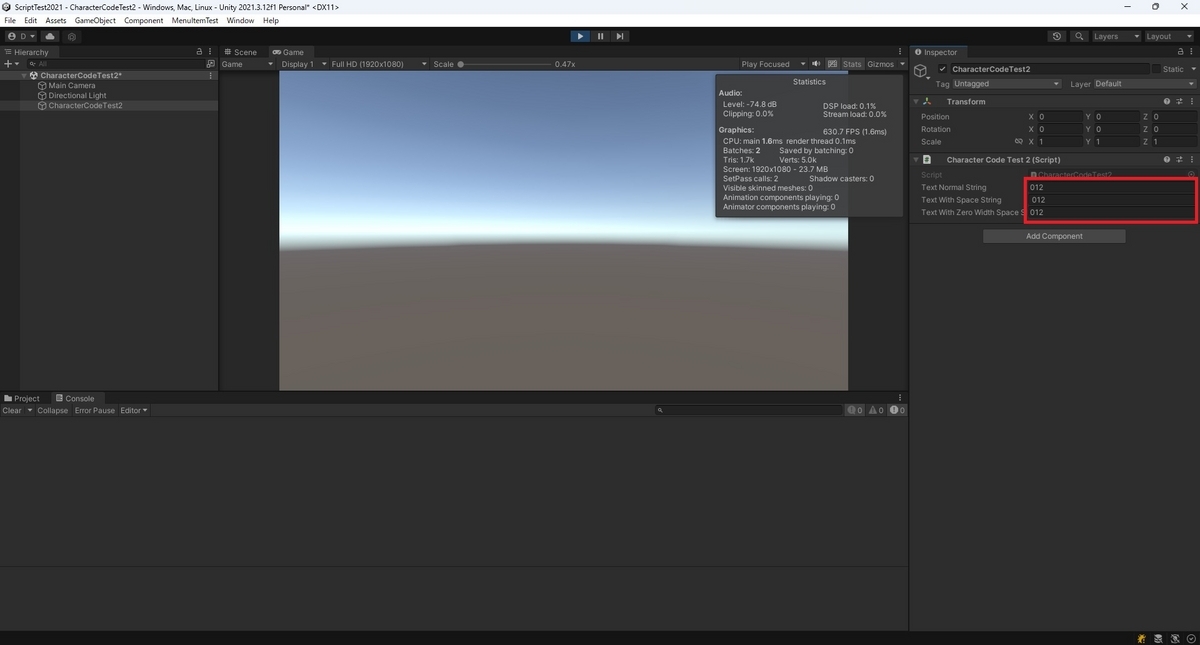
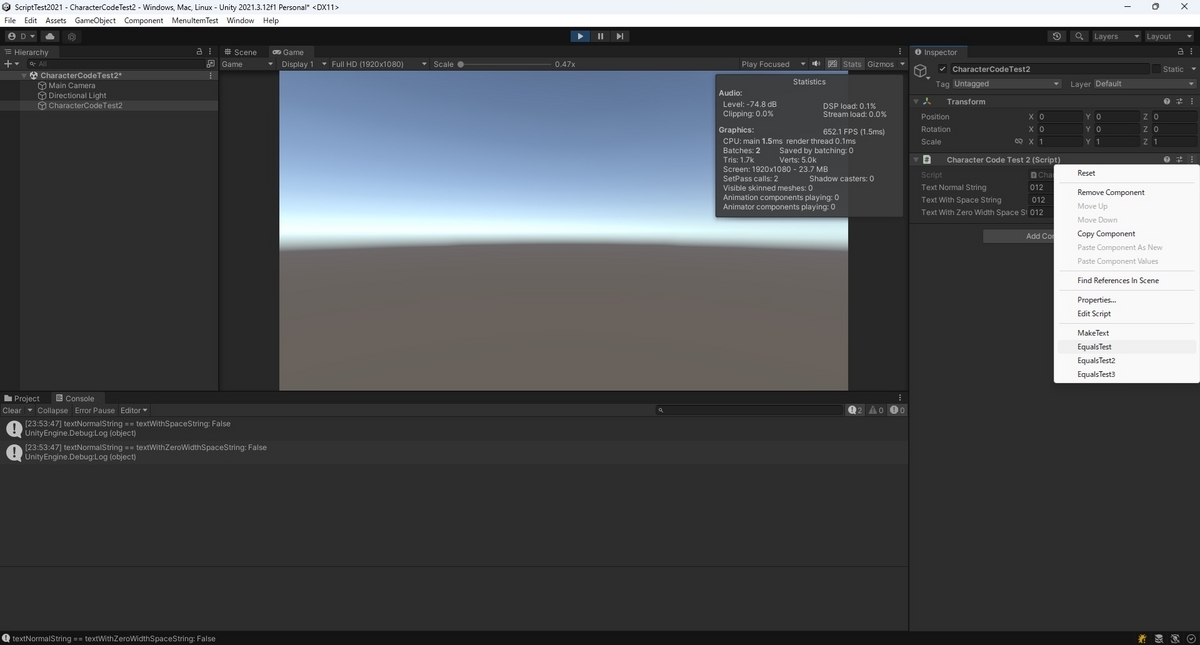
そのまま文字列を比較した場合、比較結果は False になります。
ゼロ幅スペースは Trim() で削除されないため、Trim() を行ってもゼロ幅スペースとの比較は false になります。
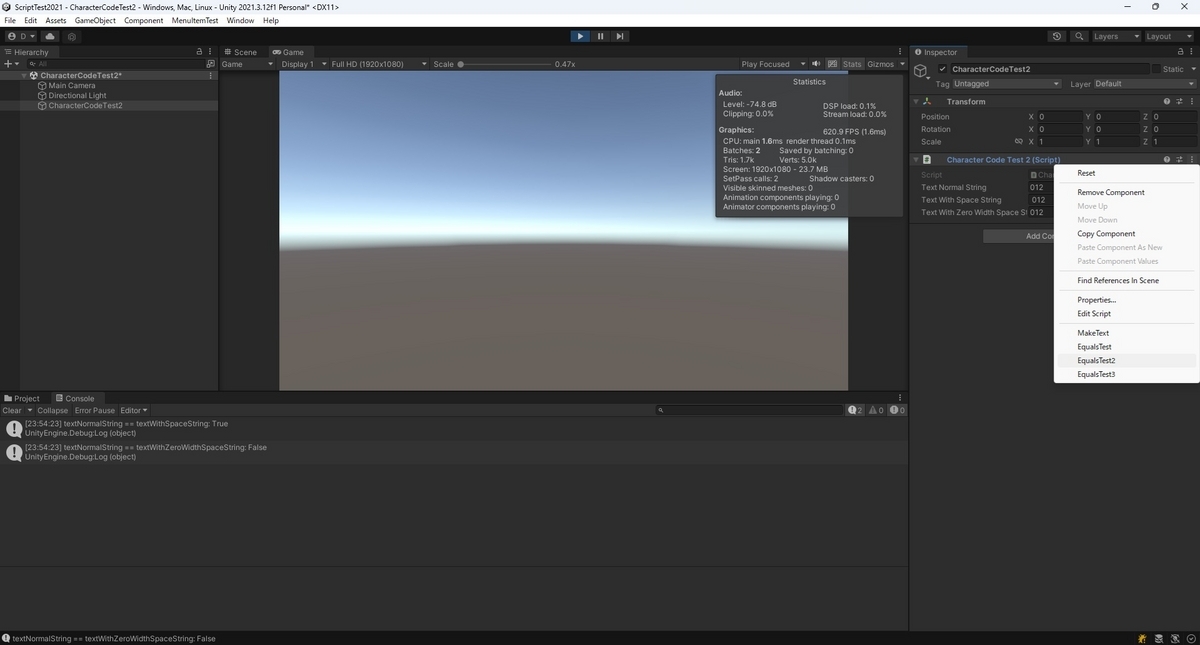
ゼロ幅スペースを Replace() で削除すると True になります。