本日はUnityの小ネタ枠です。
Unityでスクリプトからオブジェクトのレイヤーを変更する方法です。
GameObject.layer
ゲームオブジェクトが存在するレイヤーを参照・設定できます。
0 から 31 までの値が設定可能です。
docs.unity3d.com
サンプルスクリプト
自身の子オブジェクトを全て指定名のレイヤーに切り替える以下のサンプルスクリプトを作成しました。
・LayerSetTest.cs
using UnityEngine;

public class LayerSetTest : MonoBehaviour
{
    [SerializeField]
    private string _layerName = default;

    [ContextMenu("SetLayerTest")]
    public void SetLayerTest()
    {
        // レイヤー名からレイヤー番号を取得する
        int layer = LayerMask.NameToLayer(_layerName);
        if (layer == -1)
        {
            Debug.LogError($"Layer name {_layerName} is not found.");
            return;
        }

        // 全ての子オブジェクトのレイヤーを切り替える
        RecursiveSetLayer(gameObject, layer);
    }

    private void RecursiveSetLayer(GameObject targetObject, int layer)
    {
        // 対象オブジェクトの子オブジェクトをチェックする
        foreach (Transform child in targetObject.transform)
        {
            // 子オブジェクトのレイヤーを切り替える
            GameObject childObject = child.gameObject;
            childObject.layer = layer;

            // 再帰的に全ての子オブジェクトを処理する
            RecursiveSetLayer(childObject, layer);
        }
    }
}
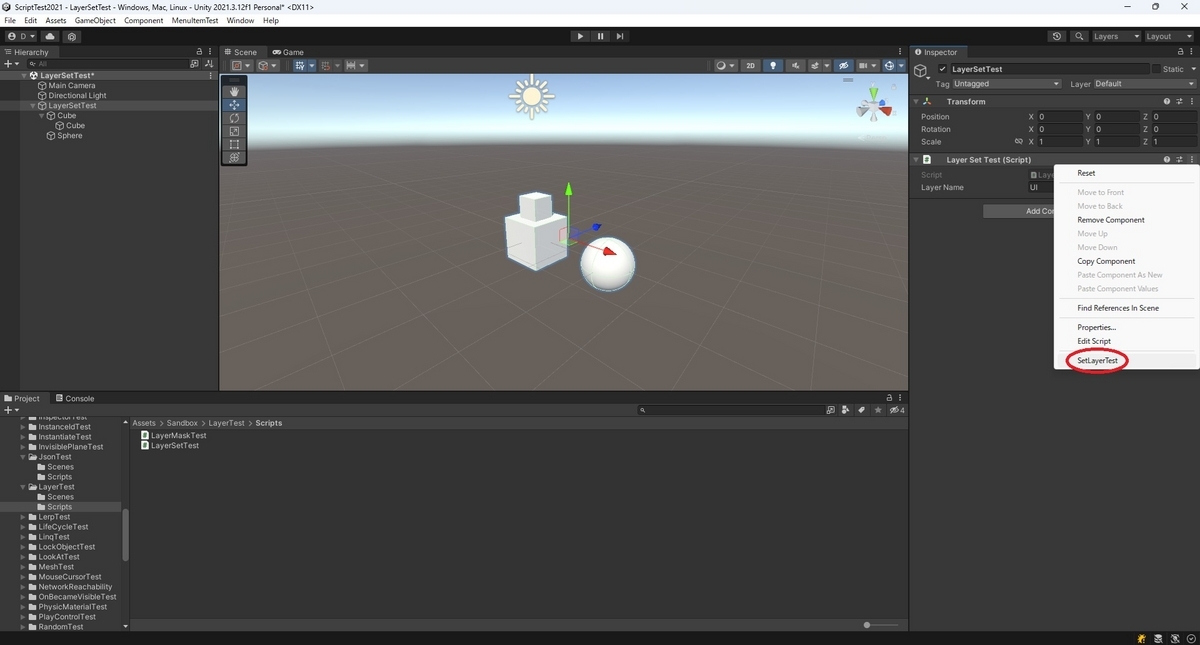
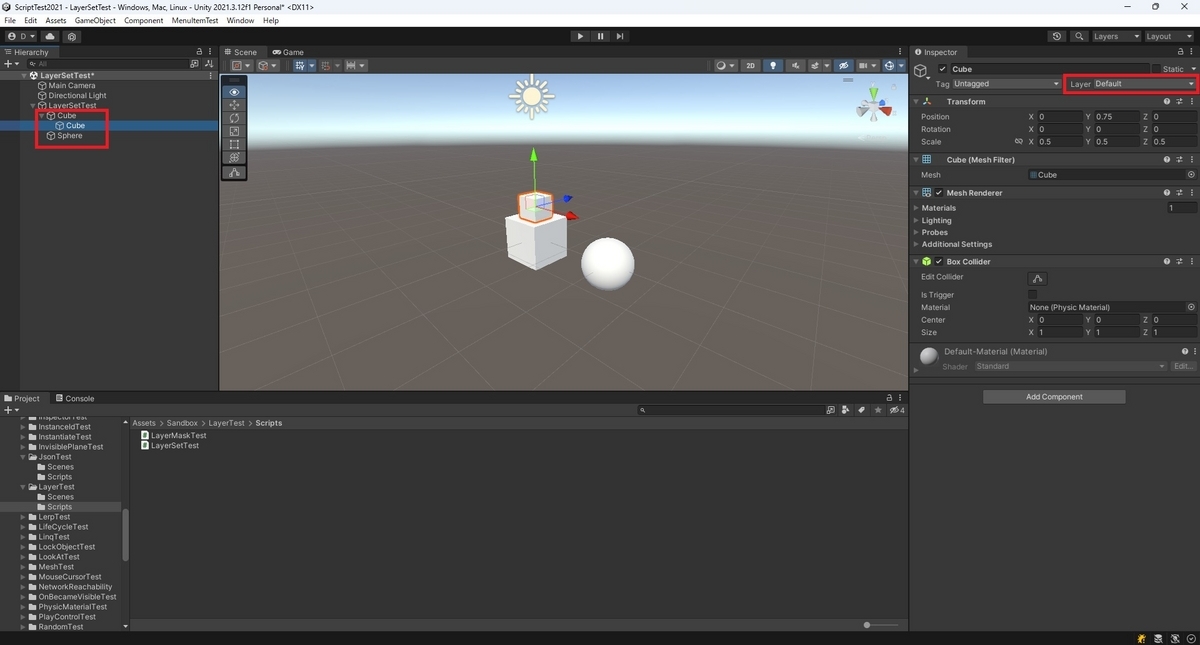
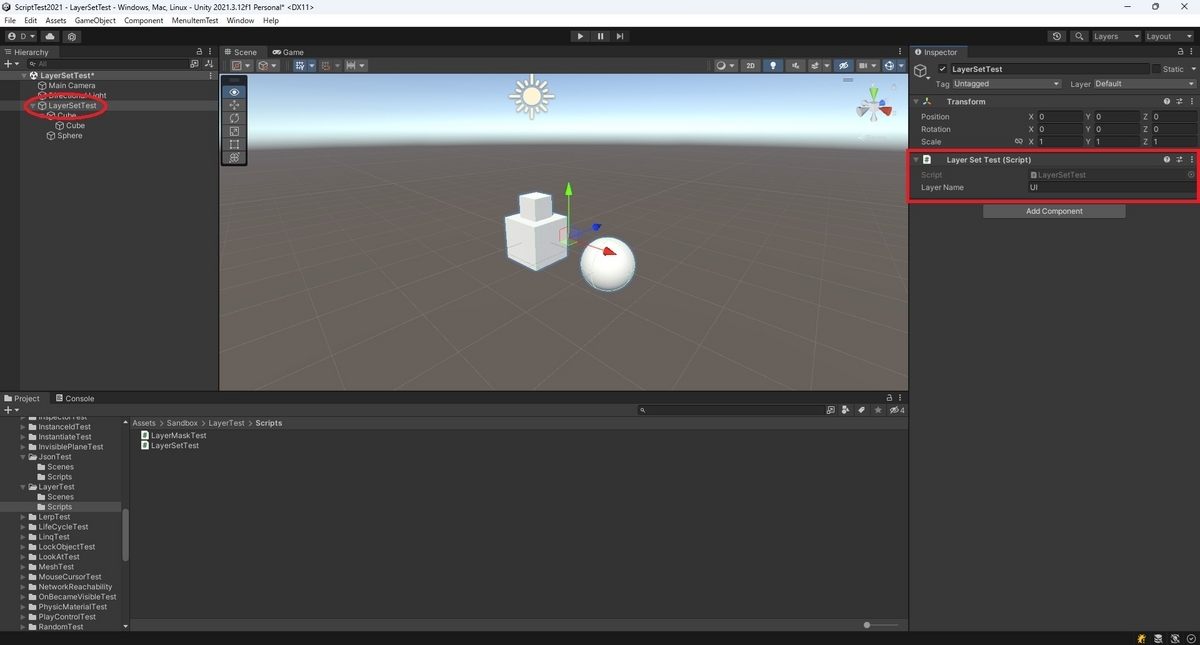
以下の通りDefaultレイヤーの子オブジェクトを持つオブジェクトにサンプルスクリプトを設定します。
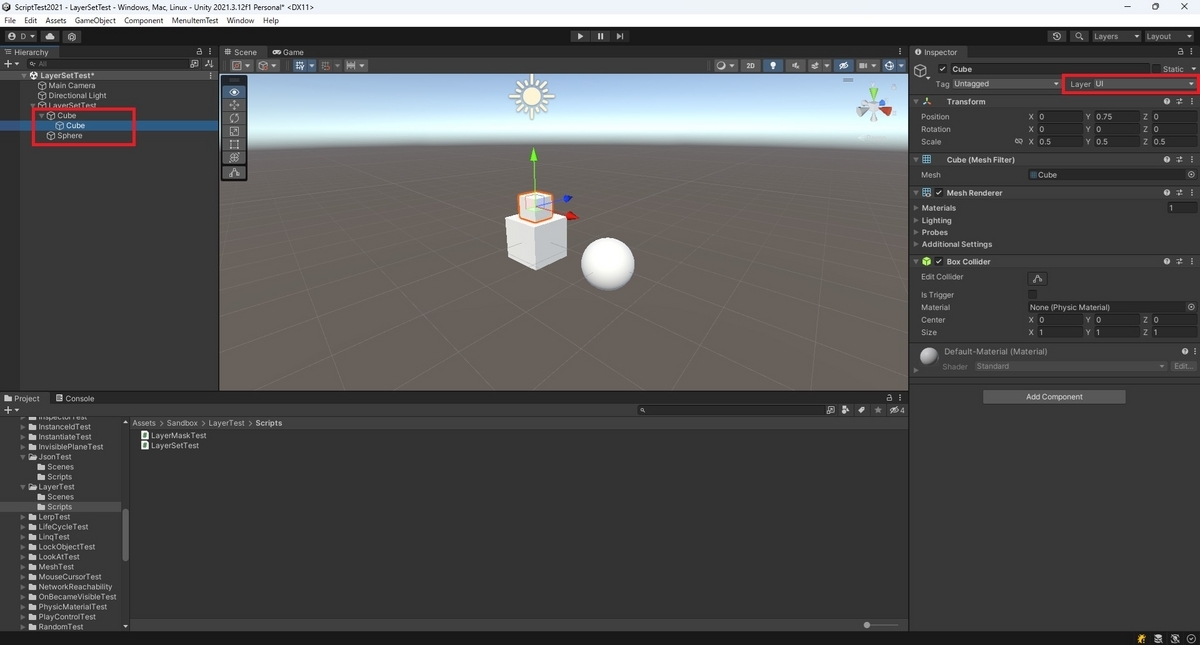
SetLayerTest関数を呼び出すと、以下の通り全てのレイヤーが切り替わりました。